How to Master Maya’s Animation Tools
Autodesk Maya is one of the most powerful and widely used 3D Maya animation software solutions in the film, game, and VFX industries. From blockbuster movies to AAA games, Maya’s animation tools are trusted by professionals worldwide.
However, mastering these tools requires more than just knowing where the buttons are; it demands a solid understanding of animation principles, workflows, and consistent hands-on practice.
This guide will walk you through how to effectively master Maya’s animation tools, from core fundamentals to advanced techniques, helping you build professional-quality animations and a strong portfolio.
How to Build Professional Animation Skills in Maya
1. Build a Strong Foundation in Maya
Before diving deep into Maya’s tools, it’s essential to understand the 12 Principles of Animation, such as timing, spacing, squash and stretch, anticipation, and follow-through. These principles apply regardless of software and form the backbone of believable animation.
Autodesk Maya animation software provides the technical tools, but it’s your understanding of motion and performance that brings animations to life. Study real-world movement by observing people walking, running, or expressing emotions, and analyze how weight and balance work.
Mastery begins when artistic knowledge and software skills work together.
2. Get Comfortable with Maya’s Interface and Viewports
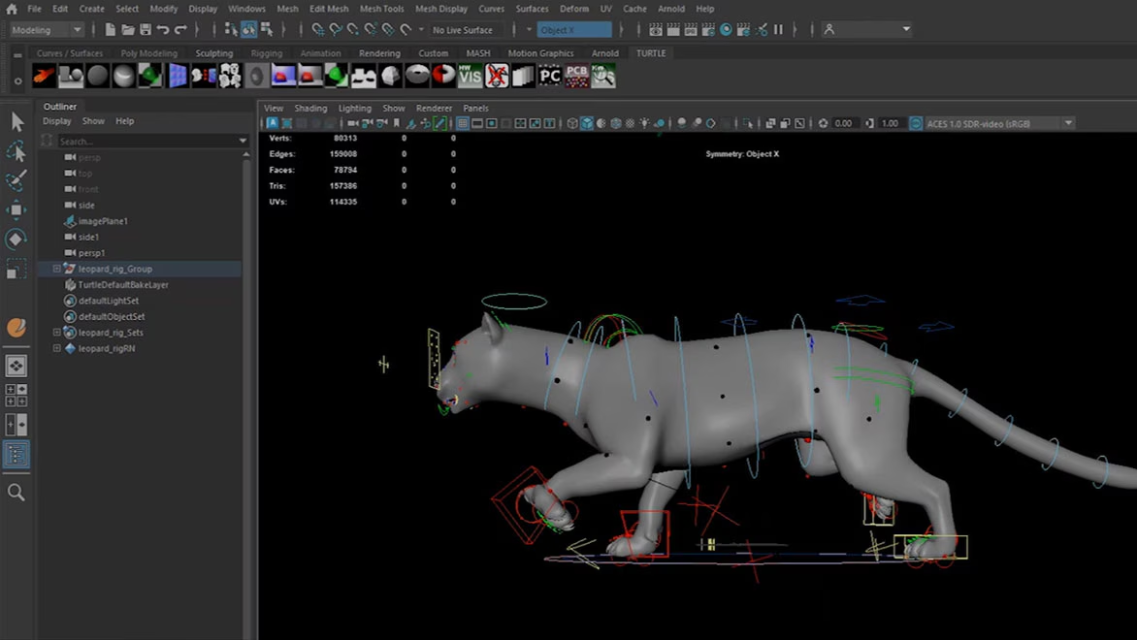
Efficiency in animation starts with knowing your workspace. Maya’s interface can feel overwhelming at first, but familiarity will drastically improve your workflow.
Areas to focus on include:
- Viewports for posing and framing shots
- Channel Box for adjusting transform values
- Outliner for managing scene hierarchy
- Attribute Editor for detailed object and rig settings
- Time Slider & Range Slider for controlling animation timing
Customize your workspace to suit animation tasks. Many animators create dedicated layouts for blocking, splining, and polishing animation. The more intuitive your workspace feels, the faster you can animate.
3. Learn Keyframe Animation Thoroughly
Keyframe animation is the core of Maya’s animation system. Understanding how and when to place keyframes is crucial.
Start by learning:
- Setting and deleting keyframes
- Auto Key vs Set Key workflows
- Understanding translation, rotation, and scale channels
- Using stepped tangents for blocking animation
Blocking is an essential phase where you define main poses and storytelling beats without worrying about smooth motion. Use stepped tangents to focus on strong poses and clear timing before refining your animation.
Strong blocking leads to cleaner, more polished final animations.
4. Master the Graph Editor
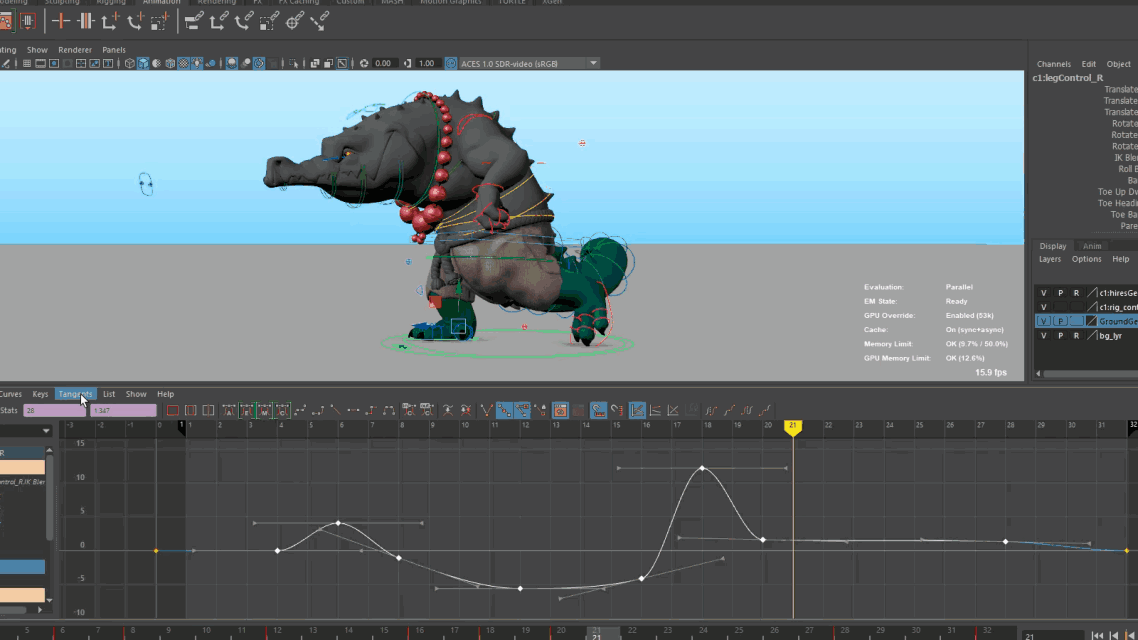
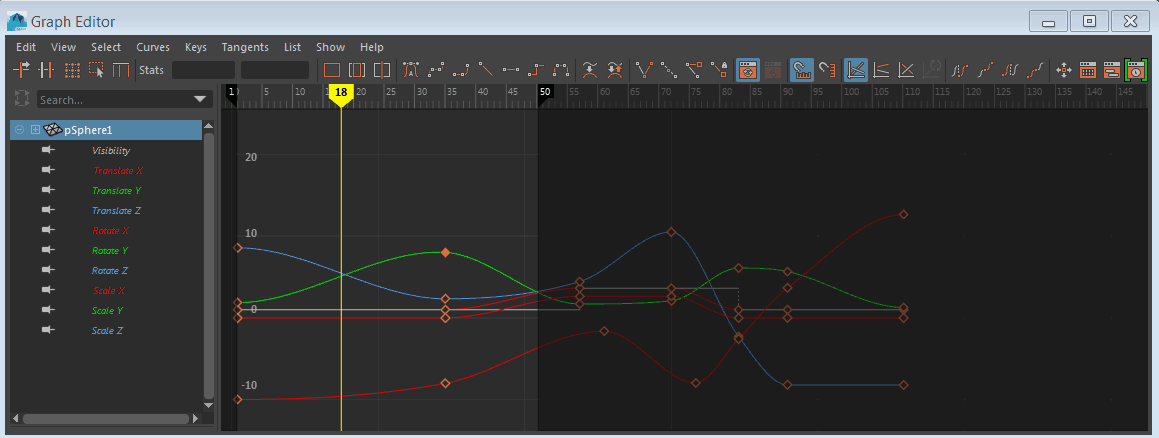
The Graph Editor is one of the most powerful and intimidating tools in Maya. True animation mastery comes when you’re comfortable shaping motion curves.
In the Graph Editor, you control:
- Timing and spacing
- Ease-in and ease-out
- Arcs and overlaps
- Natural acceleration and deceleration
Learn to read curves visually. Smooth, natural motion often results from clean, well-shaped curves. Avoid unnecessary keyframes and prioritize clarity over complexity.
Spend time practicing simple exercises like bouncing balls, pendulums, and overlapping motion using only the Graph Editor. These fundamentals translate directly to complex character animation.
Get to know: Choosing the Best Online 3D Animation School for Your Career
5. Work with Rigs and Controls Effectively
Most animation work in Maya involves animating character rigs rather than raw geometry. Understanding how rigs function will make you a more efficient animator.
Concepts include:
- FK (Forward Kinematics) and IK (Inverse Kinematics)
- Switching between FK and IK smoothly
- Using space switching for hands and feet
- Maintaining clean poses without breaking the rig
Always animate using the provided controls, never the geometry itself. Learn which controls affect which body parts and how they interact. Clean rig usage prevents technical issues and ensures your animation behaves predictably.
6. Practice Pose-to-Pose Animation
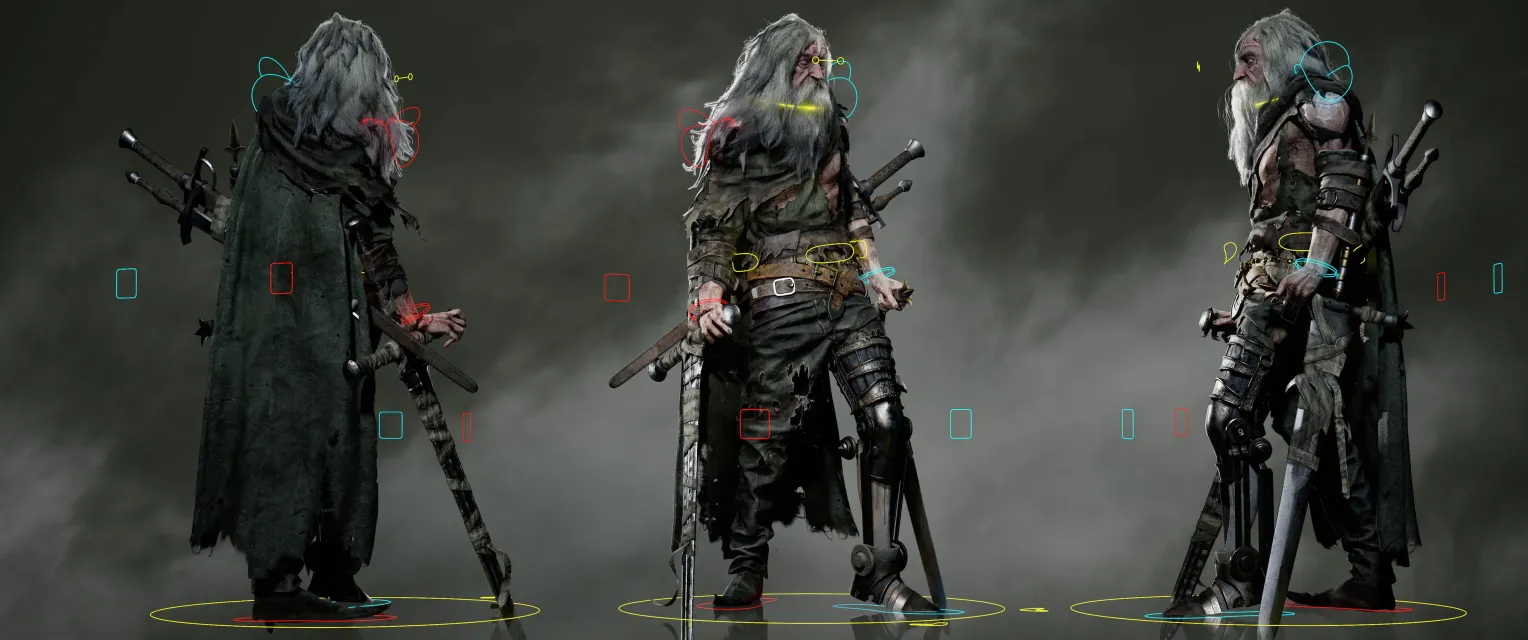
Pose-to-pose animation is the industry-standard workflow for character animation. Instead of animating frame by frame, you focus on storytelling through strong poses.
Steps include:
- Create key storytelling poses
- Define breakdown poses
- Refine timing
- Add in-betweens and overlaps
Utilize Maya’s tools, such as Ghosting, Motion Trails, and Playblast, to analyze poses and movement. Clear silhouettes and readable poses are more important than excessive motion.
Strong poses communicate emotion, weight, and intent even without textures or lighting.
7. Use Animation Layers Wisely
Animation Layers allow you to add, adjust, or experiment with motion without damaging your base animation. They’re especially useful in professional pipelines.
Common uses include:
- Adding secondary motion
- Refining facial animation
- Making client-requested changes
- Testing alternate performances
While animation layers are powerful, avoid overusing them. Too many layers can make scenes hard to manage. Use them strategically to enhance, not complicate, your animation.
Bring your characters to life, master walk cycles in Maya and give every step its own personality!
8. Focus on Timing and Spacing
Timing defines when something happens, while spacing defines how it moves between poses. Maya gives you precise control over both.
Use:
- The Dope Sheet to adjust keyframe timing globally
- The Graph Editor to refine spacing
- Playblasts to review motion at real speed
Avoid animating “on ones” (keyframes every frame) unless necessary. Let the software interpolate motion, and intervene only when storytelling or physics demand it.
Good timing and spacing separate amateur animations from professional-quality work.
9. Refine with Secondary Animation and Polish
Once your primary motion is solid, focus on polish. This stage adds realism and appeal.
Polishing includes:
- Overlapping action (hair, cloth, accessories)
- Subtle body shifts and breathing
- Eye darts and facial micro-movements
- Clean arcs and natural follow-through
Maya tools like Motion Trails, Grease Pencil, and Playblast comparisons help refine details. Zoom out often to view animation as an audience would; small tweaks can make a big difference.
10. Build Projects and a Strong Portfolio
The fastest way to master Maya’s animation tools is through real projects. Short, focused exercises are more valuable than unfinished long animations.
Recommended practice projects:
- Walk and run cycles
- Acting shots with dialogue
- Body mechanics (lifting, pushing, jumping)
- Simple creature or prop animation
Aim for quality over quantity. A few polished shots demonstrate skill better than many unfinished ones. Consistently update your demo reel as your skills improve.
Discover the 5 animation styles shaping storytelling and making characters unforgettable!
11. Learn from Feedback and Mentorship
No animator improves alone. Feedback helps you identify issues you can’t see for yourself.
Seek feedback from:
- Experienced animators
- Online animation communities
- Professional mentors or structured courses
Be open to critique and iterate. Each revision strengthens your understanding of how to animate in Maya.
12. Stay Consistent and Keep Learning
Maya is constantly evolving, and so should your skills. Stay updated with new features, plugins, and industry workflows.
Daily practice, even 30 to 60 minutes, makes a noticeable difference over time. Animation mastery is a marathon, not a sprint.
Related Articles:
Best 3D Modeling Online Courses for Beginners
Looking to Build Strong Animation Skills in Maya?
Mastering animation isn’t about learning tools; it’s about understanding how studios actually work. At M3DS Academy, we focus on building strong animation skills through structured guidance and hands-on practice. Our Maya animation course trains students to work with real production workflows rather than isolated tools.
We guide learners through:
- Core animation principles applied directly in Maya
- Timeline, Graph Editor, and Dope Sheet workflows
- Character animation using industry-standard rigs
- Shot-based animation practice with structured feedback
- Clean blocking, refinement, and polish techniques
Our approach emphasizes consistency, clarity, and control at every stage of animation. Students are supported with step-by-step instruction, practical assignments, and mentor guidance to help them develop reliable, professional animation skills.
By focusing on practical application and production-ready methods, we help students gain confidence using Maya’s animation tools and create work suitable for professional portfolios. Start your Maya animation journey today.
Master Maya Animation for Professional Results
Mastering Maya’s animation tools is a blend of technical skill, artistic understanding, and consistent practice. By learning the fundamentals, using Maya’s key tools effectively, and focusing on strong animation principles, you can create animations that feel believable, expressive, and professional.
Whether your goal is film, games, or VFX, Maya provides everything you need. Your growth depends on how intentionally you use it. With patience, dedication, and the right workflow, mastering Autodesk Maya animation is entirely achievable.