
Maya vs Blender vs 3DS Max – 3D Tools Comparison
The field of 3D design and animation relies heavily on software tools that help artists create models, animations, visual effects, and game assets. Among the many options available, Autodesk Maya, Blender, and Autodesk 3DS Max stand out as the most widely used professional tools.
While all three programs are capable of producing high-quality 3D work, they are used in different scenarios and industries based on strengths, ease of use, and cost. In this article, we break down the key differences and help you decide which software aligns best with your goals as a 3D artist or animator.
3DS Max vs Maya vs Blender: Which 3D Software Suits Your Needs?
Choosing the right 3D software depends on your goals, workflow, and budget. This comparison highlights key features, strengths, and typical users of Maya, 3DS Max, and Blender. From modeling and animation to rendering and VFX, the table below makes it easy to see which tool fits your projects best.
Feature / FactorAutodesk MayaAutodesk 3DS MaxBlenderPlatforms Windows, macOS, Linux Windows only Windows, macOS, Linux Ease of Use Moderate but steep learning curve Easier for beginners than Maya Beginner-friendly but unique interface Modeling Strength Best for organic and character modeling Excellent for hard-surface and architectural modeling Extremely versatile with sculpting and procedural tools Animation & Rigging Industry standard; powerful animation tools Good, but less advanced than Maya Solid animation suite, though not as deep as Maya Rendering Arnold and third-party support Arnold and third-party support Eevee (real-time) + Cycles (ray tracing) VFX & Simulation Advanced (cloth, particles, fluids) Capable with plugins Strong native simulations Community & Support Large professional community Large professional user base Massive open-source community Typical Users Film, AAA games, visual effects Architecture visualization, modeling Indie creators, freelancers, startups Cost Subscription (paid) Subscription (paid) Free and open-source Best For Animation and VFX pipelines Architectural and hard-surface workflows All-around 3D work without cost
Autodesk Maya
Autodesk Maya is a professional 3D software widely used to create digital content for films, television, video games, and advertisements. It helps artists design detailed 3D models, animate characters, and produce realistic visual effects. Maya is especially known for its strong animation and rigging tools, which make it a popular choice in large production studios.
Maya allows artists to work on complex scenes with a high level of control. From character animation to visual effects, the software supports demanding production requirements. Its ability to handle motion capture data and large animation pipelines makes it suitable for film and AAA game development.
Features of Autodesk Maya
Autodesk Maya offers a wide range of professional tools for creating detailed 3D models, realistic animations, and high-quality visual effects. Some of its standout features include:
- Advanced Animation & Rigging Tools: Maya’s animation editors, graph workflows, and rigging systems allow precise control over character performance and movement.
- Simulation Systems: Artists can create realistic cloth, hair, particle effects, fluids, and other simulations directly within the software, supporting complex scenes.
- Node-Based Architecture: Maya organizes scene elements as interconnected nodes, giving artists and technical directors granular control over procedural behaviors and scene management.
- Polygon & Surface Modeling: Powerful tools for creating detailed characters, environments, and props.
- Scripting Support: Python and MEL scripting allow studios to automate tasks and customize workflows efficiently.
-
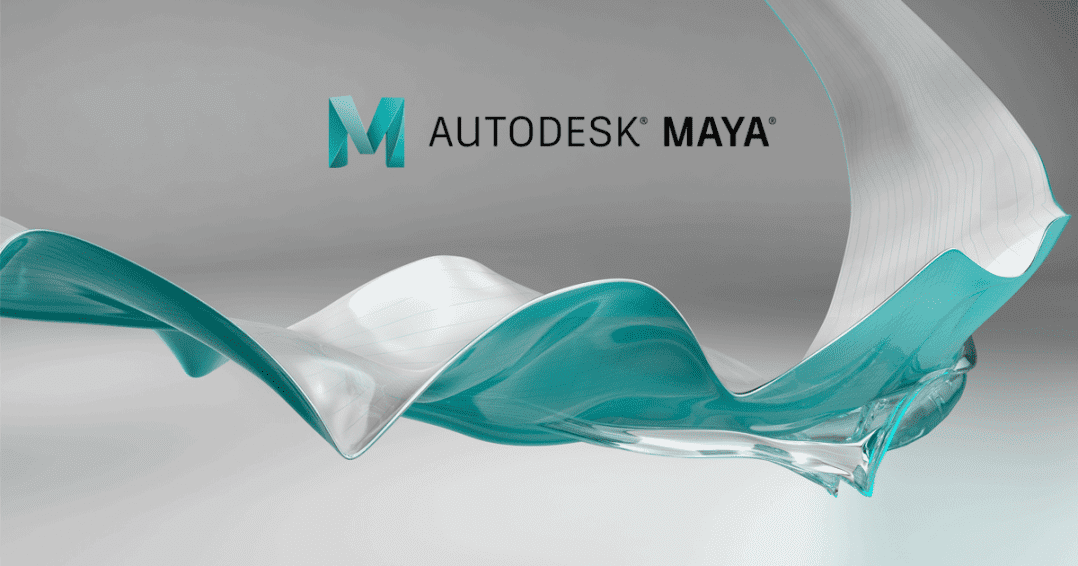
Maya in Film and Game Industries
Maya is extensively used in animated films and visual effects. Studios such as Sony Pictures Animation, Pixar, Warner Bros., ILM, and Weta Digital rely on it for creating high-quality CGI. Films like Ratatouille, Moana, and Spider-Man: Into the Spider-Verse showcase Maya’s ability to handle complex animation and VFX pipelines.
In gaming, Maya is ideal for character modeling, facial animation, and environmental assets. Titles like Assassin’s Creed Valhalla, Fortnite, and God of War (2018) have leveraged Maya for AAA production workflows.
Get to know: How Long Does It Take to Master Autodesk Maya?
Professional Autodesk Maya Training at M3DS Academy
For students and artists looking to master Maya, M3DS Academy provides professional coaching in Autodesk Maya, one of the most widely used 3D tools in films, games, and animation. Our programs cover modeling, animation, rigging, texturing, and rendering, giving students hands-on experience with industry-standard workflows.
With guidance from our experienced mentors, learners develop real-world skills and build a professional portfolio that showcases cinematic-quality and game-ready assets. We focus on practical projects that prepare our students for careers in animation, VFX, and game development.
Join M3DS Academy to master Autodesk Maya and take your 3D skills to the next level!
Blender
Blender is a free and open-source 3D computer graphics software used by beginners, freelancers, and professionals. It can be downloaded and used without any licensing cost. Blender is developed and improved by a global community, which helps the software evolve quickly through regular updates.
Blender supports a complete 3D workflow in one application, making it suitable for independent artists and small studios that need professional tools without high expenses.
Features of Blender
- All-in-one pipeline: Blender handles modeling, animation, physics simulations, and rendering within the same software.
- Dual rendering engines: Cycles provides high-quality ray-traced rendering, while Eevee allows fast real-time previews.
- Extensibility: Blender supports Python scripting and a large collection of add-ons, enabling customization and automation of workflows.
- Open-source and free: No licensing fees make Blender cost-effective for startups, students, and freelancers.
- Versatility: It can be used for animated films, motion graphics, visual effects, VR projects, 3D printing, and game asset creation.
Blender in Entertainment and Games
Blender has powered several professional projects, including animated films like Elephants Dream, Big Buck Bunny, and Sintel. In game development, it is used to create characters, props, and environments for engines like Unity and Unreal Engine. Games like Yo Frankie! and Dead Cyborg showcase its effectiveness for indie studios.
Related Articles:
Best 3D Modeling Online Courses for Beginners
Why Learning 3D Modeling Is the Best Creative Career Move in 2026?
Game Development Courses for Beginners in 2025
3DS Max
Autodesk 3DS Max is a professional 3D modeling and animation software developed by Autodesk. It is commonly used to create 3D models, animations, and visualizations for games, films, and architectural projects. 3DS Max is especially popular for precise modeling and high-quality rendering.
The software is widely used in architecture, construction, and product design due to its accurate modeling tools and material setup.
Features of 3DS Max
- Robust polygon and procedural modeling: Tools such as modifier stacks and spline-based modeling enable artists to handle complex geometry intuitively and efficiently.
- Integration with design tools: 3DS Max works seamlessly with Autodesk software, such as AutoCAD and Revit, making it suitable for architectural, engineering, and construction workflows.
- Rendering flexibility: It supports both built-in renderers and popular third-party engines like V-Ray and Corona for high-quality output.
- User-friendly interface: The layout and tool organization make it approachable compared to other professional 3D software.
- Plugins and extensions: 3DS Max can be expanded with plugins for lighting, rendering, and simulation, enhancing its versatility across different projects.
- 3DS Max in Film and Games
- In the film industry, 3DS Max is used to create CGI elements such as environments, props, and visual effects. Movies like The Hobbit, The Martian, and Pacific Rim incorporated 3DS Max for complex modeling, environment creation, and realistic visual effects, demonstrating its power in large-scale productions.
- In game development, 3DS Max is widely used to design and texture assets such as characters, weapons, vehicles, and environments. Games like Halo Infinite, Call of Duty: Modern Warfare, and The Witcher 3: Wild Hunt have utilized 3DS Max for modeling and asset creation, making it a reliable tool for professional game studios.
- Which 3D Software Is Right for You?
- Choose Maya if your goal is to work in animation studios, film production, VFX, or AAA game development.
- Choose 3DS Max if you focus on architectural visualization, product design, or hard-surface modeling.
- Choose Blender if you want a powerful all-in-one 3D tool without any cost, suitable for learning, freelancing, or independent projects.
Plugins and extensions: 3DS Max can be expanded with plugins for lighting, rendering, and simulation, enhancing its versatility across different projects.
3DS Max in Film and Games
In the film industry, 3DS Max is used to create CGI elements such as environments, props, and visual effects. Movies like The Hobbit, The Martian, and Pacific Rim incorporated 3DS Max for complex modeling, environment creation, and realistic visual effects, demonstrating its power in large-scale productions.
In game development, 3DS Max is widely used to design and texture assets such as characters, weapons, vehicles, and environments. Games like Halo Infinite, Call of Duty: Modern Warfare, and The Witcher 3: Wild Hunt have utilized 3DS Max for modeling and asset creation, making it a reliable tool for professional game studios.
Which 3D Software Is Right for You?
- Choose Maya if your goal is to work in animation studios, film production, VFX, or AAA game development.
- Choose 3DS Max if you focus on architectural visualization, product design, or hard-surface modeling.
- Choose Blender if you want a powerful all-in-one 3D tool without any cost, suitable for learning, freelancing, or independent projects.
Each of these 3D software tools has its own strengths. Selecting the right one depends on your career goals, project needs, and budget.