Best Software Skills to Learn for 3D Modeling Jobs
The demand for skilled 3D artists continues to grow across industries such as game development, film, animation, architecture, product design, and virtual production. As companies invest in increasingly immersive digital experiences, they need professionals who can create high-quality 3D assets efficiently and collaboratively.
While creativity and artistic fundamentals remain essential, technical skills have become equally important. Modern 3D production relies on specialized software for modeling, sculpting, texturing, and real-time visualization. Employers look for artists who can confidently use these tools and contribute to professional workflows from the start.
Whether you’re pursuing a career in game development, animation, or digital design, mastering the right 3D modeling software can help you work more efficiently, create stronger portfolio projects, and increase your chances of landing a 3D modeling job.
Top 5 Software Skills Every 3D Modeler Should Learn
From Autodesk Maya to Unreal Engine, mastering the right software is essential for building professional 3D modeling skills. These tools help artists create, refine, texture, and present assets used across multiple industries.
Autodesk Maya
When employers list software requirements for 3D artists, Autodesk Maya often appears at the top of the list. For years, Maya has been a cornerstone of professional production pipelines in animation, gaming, and visual effects.
Maya offers powerful tools for polygon modeling, UV mapping, rigging, animation, and scene management. Its flexibility makes it suitable for creating everything from game assets and characters to cinematic environments.
Learning Maya can open doors to roles such as:
- 3D Modeler
- Environment Artist
- Character Artist
- Asset Artist
- Technical Artist
Because many large studios use Maya as their primary software, mastering it can significantly strengthen your job prospects.
ZBrush
Creating realistic characters and organic forms requires a different approach than traditional polygon modeling. This is where ZBrush excels.
ZBrush allows artists to sculpt highly detailed models using brushes that mimic traditional clay sculpting techniques. Instead of focusing on technical construction, artists can concentrate on shape, anatomy, and surface detail.
The software is particularly useful for creating:
- Characters
- Creatures
- Facial expressions
- Clothing details
- Organic environments
Learning ZBrush helps artists develop stronger observational and sculptural skills while enabling them to create highly detailed assets that would be difficult to achieve through conventional modeling methods.
Substance Painter
A model’s appearance depends heavily on its textures and materials. Even a well-constructed asset can look incomplete without convincing surface detail.
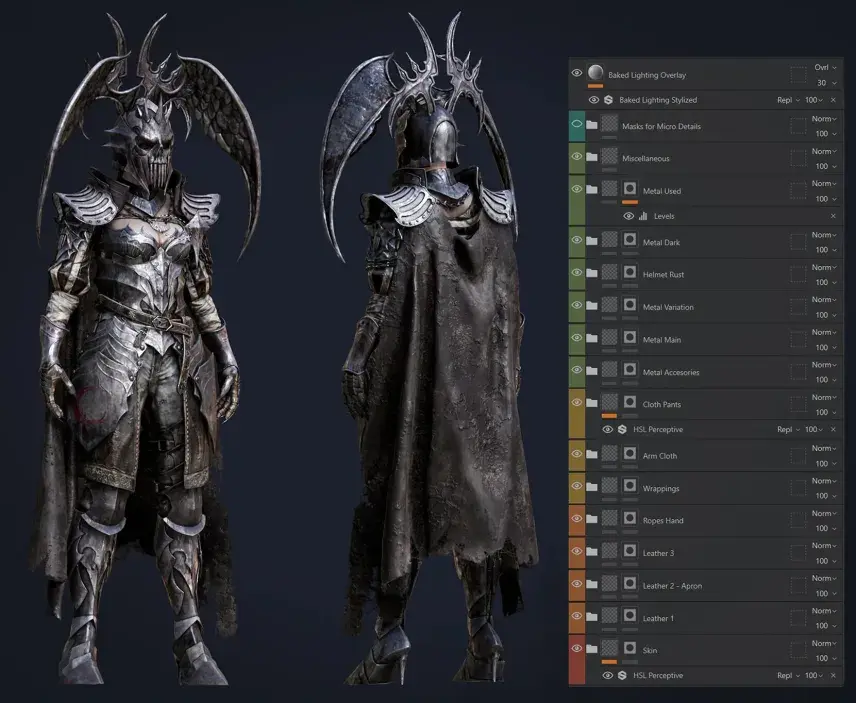
Substance Painter specializes in texture creation by allowing artists to paint directly onto 3D models. This approach makes it easier to visualize materials and refine details in real time.
Artists can use the software to create:
- Weathered surfaces
- Metallic finishes
- Fabric materials
- Wood textures
- Environmental wear and tear
By learning Substance Painter, artists gain the ability to add realism, personality, and visual depth to their models, making their work more engaging and believable.
Substance Designer
While many artists focus on creating individual textures, modern productions often require scalable material systems that can be reused across large projects.
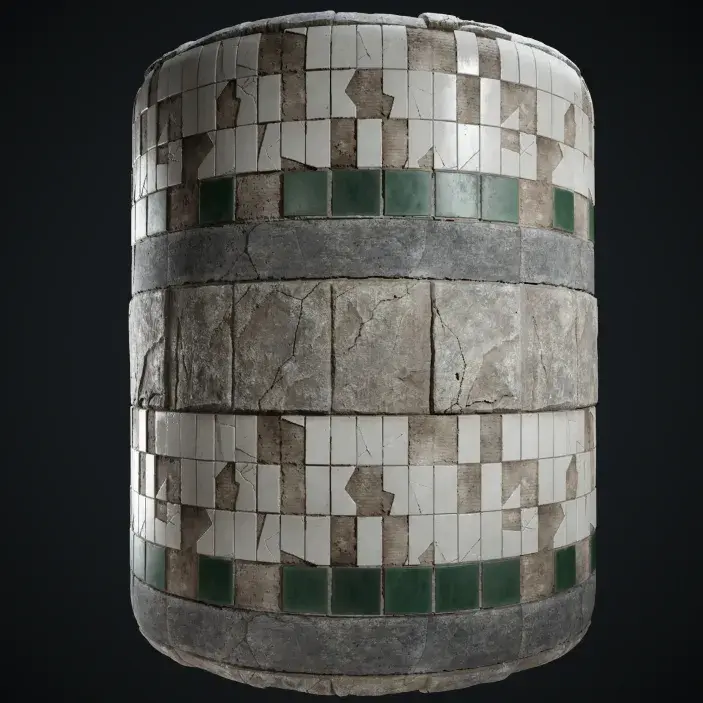
Substance Designer addresses this need through procedural material creation. Instead of painting textures manually, artists build materials using interconnected nodes that generate results automatically.
This approach offers several advantages:
- Greater consistency
- Faster iteration
- Easier customization
- Improved efficiency on large projects
Learning Substance Designer helps artists understand how materials are constructed and provides valuable insight into modern content creation workflows used in large-scale productions.
Unreal Engine
Creating a model is only part of the journey. Artists must also understand how assets function within real-time environments.
Unreal Engine enables artists to place models into scenes, configure materials, build lighting setups, and evaluate how assets perform in interactive experiences. This allows artists to see their work in context rather than viewing it as an isolated object.
The software is widely used for:
- Video games
- Virtual production
- Architectural visualization
- Interactive simulations
- Immersive experiences
Learning Unreal Engine helps artists bridge the gap between asset creation and final presentation, giving them a broader understanding of how digital projects come together.
Turn your game worlds into smooth, high-performance experiences. Learn how to optimize environments in Unreal Engine without sacrificing visual quality.
Creating a Learning Roadmap for Long-Term Growth
Trying to learn every software package at once can quickly become overwhelming. A more effective approach is to build your skills progressively, focusing on one stage of the production pipeline at a time.
A typical learning roadmap might look like this:
- Start with Maya to learn the fundamentals of modeling, scene organization, and asset creation.
- Move to ZBrush to develop digital sculpting skills and create more detailed characters, creatures, and organic assets.
- Learn Substance Painter to understand texturing workflows and create realistic materials for your models.
- Explore Substance Designer to build procedural materials and gain experience with node-based workflows.
- Add Unreal Engine to your skill set to learn how assets are implemented, lit, and presented in real-time environments.
Following a structured learning path helps you avoid information overload while building a stronger understanding of the complete 3D asset creation process. Instead of learning software in isolation, you’ll gradually develop the skills needed to move assets from concept to final presentation.
Related Articles:
Comparing 3D Tools: Maya vs Blender vs 3ds Max
3D Art vs Game Development: Which Career Path Is Right for You?
Is a Degree Necessary for Becoming a Game Developer or 3D Artist?
How M3DS Academy Helps Aspiring 3D Artists
Professional software is most valuable when it is taught within the context of real projects and production techniques.
At M3DS Academy, we offer specialized online training in Maya, ZBrush, Substance Painter, Substance Designer, and Unreal Engine through structured programs designed to help aspiring 3D artists and game developers develop industry-relevant skills.
Students learn through practical assignments, guided instruction, and portfolio-focused projects that reflect industry expectations. This approach helps transform software knowledge into applicable production skills while creating work that demonstrates growth and capability.
M3DS Academy has been recognized by The Rookies as the Best Creative Media School in the World, ranked as the 4th top Game Development School worldwide, and recognized as the number one Game Development School in the United States.
Take the next step toward a career in 3D art and game development. Apply now to gain hands-on experience with industry-standard software and build a professional portfolio.
FAQs
Q1. What should I include in a 3D modeling portfolio?
A strong portfolio should highlight your best work rather than your entire body of work. Focus on quality, attention to detail, clean presentation, and projects that demonstrate your understanding of modeling, texturing, and asset creation.
Q2. Should I specialize in one area of 3D art?
Yes. Once you understand the fundamentals, specializing in areas such as character art, environment art, or game development can help you build targeted skills. At M3DS Academy, we offer specialized courses designed to support these career-focused learning paths.
Q3. What Is the Best 3D Modeling Software?
There is no single best 3D modeling software for every artist. The right choice depends on your goals and industry. Autodesk Maya is widely used in professional studios, while tools like ZBrush, Substance Painter, and Unreal Engine are valuable for specialized workflows and career development.